
TL;DR:
- Proper analytics setup linking LinkedIn, CRM, and attribution tools is essential for measuring real pipeline impact.
- Lead Gen Forms offer higher conversion but landing pages tend to generate more qualified sales opportunities.
- Continual optimization, scoring, and post-capture qualification processes are necessary to turn metrics into revenue.
LinkedIn lead generation in professional services can feel like running a race with no finish line. You generate volume, campaigns look active, and dashboards show impressions climbing. But when sales asks how many of those leads actually moved into pipeline, the answer gets uncomfortable. The gap between raw lead numbers and real business outcomes is where most marketing leaders lose credibility. This guide walks you through the exact analytics setup, tracking configuration, and optimization process you need to turn LinkedIn campaigns into a measurable, repeatable source of qualified pipeline.
Table of Contents
- Understand the essentials: Campaign analytics for LinkedIn lead generation
- Set up your tracking: Linking campaign analytics with lead gen forms
- Optimize and analyze: Refining campaigns for quality and ROI
- Verification and troubleshooting: Ensuring campaign analytics drive real results
- The uncomfortable truth: Analytics alone won’t guarantee lead quality
- Unlock LinkedIn lead gen with expert support
- Frequently asked questions
Key Takeaways
| Point | Details |
|---|---|
| Track the right KPIs | Focus on pipeline impact, conversion rates, and ROAS instead of vanity metrics for LinkedIn lead gen. |
| Optimize Lead Gen Forms | Use fewer fields and integrate CRM scoring to maximize conversion rates and lead quality. |
| Test and adjust campaigns | A/B test creative, shift budgets, and compare form vs. landing page outputs to improve results. |
| Verify analytics setup | Audit tracking systems regularly to prevent attribution gaps, duplicate leads, and mismatched pipeline data. |
Understand the essentials: Campaign analytics for LinkedIn lead generation
Before you can optimize anything, you need to know what you’re measuring and why. LinkedIn campaign analytics isn’t just about watching click-through rates tick up. It’s about connecting ad spend to revenue outcomes in a way your CFO and sales director will actually care about.
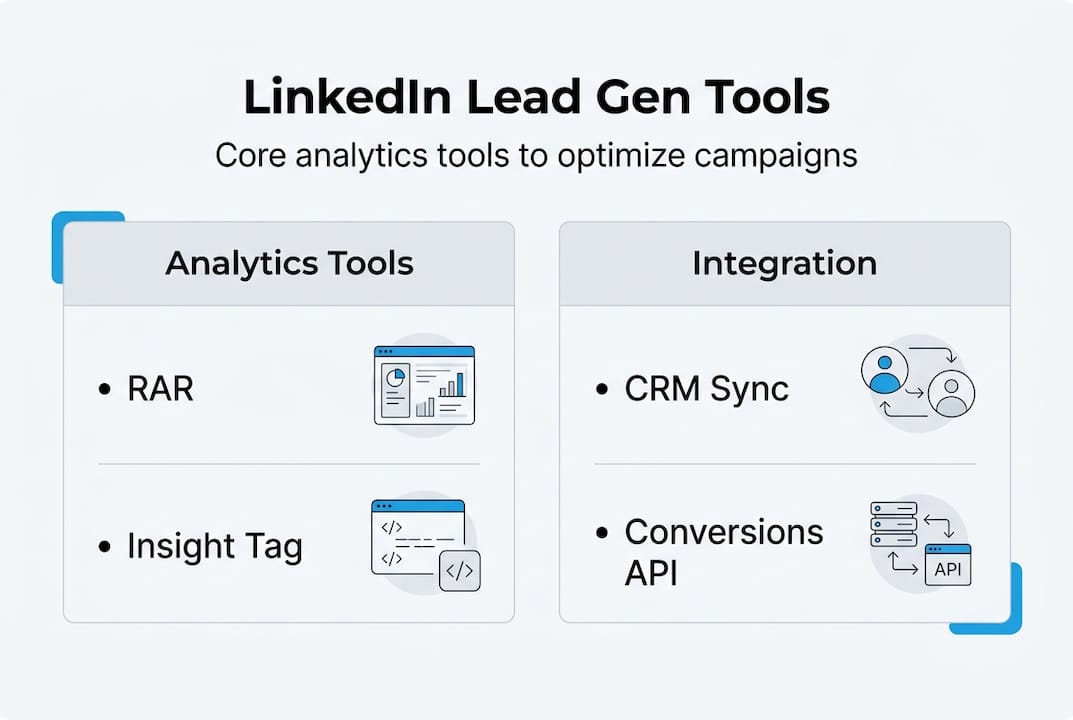
The three core tools you need are LinkedIn’s Revenue Attribution Report (RAR), the Insight Tag, and the Conversions API. The LinkedIn Attribution Report syncs CRM data to measure revenue won, ROAS, pipeline amount, lead conversion rate, and opportunity win rate influenced by LinkedIn campaigns. Without this, you’re guessing.
Here’s a quick look at the KPIs that matter most for professional services lead gen:
| KPI | Why it matters | Target benchmark |
|---|---|---|
| Cost per lead (CPL) | Measures efficiency of spend | Varies by industry |
| ROAS | Revenue return on ad spend | 121% average, 279% top performers |
| Lead conversion rate | Leads to opportunities | Track against CRM baseline |
| SQL rate | Sales-qualified lead ratio | 15-40% depending on source |
| Pipeline impact | Revenue influenced by LinkedIn | Primary success metric |
According to Dreamdata’s 2026 benchmarks, LinkedIn accounts for 41% of B2B ad budget share on average, influences 24-30% of sessions from MQL to close, and the average B2B buying journey runs 272 days with 81% of it marketing-owned. That context matters when you’re justifying spend or setting realistic expectations.
Before any campaign launches, you need these four things in place:
- CRM sync connected to LinkedIn Campaign Manager
- Insight Tag installed and verified on your site
- Conversions API configured for server-side tracking
- Defined KPIs mapped to each campaign objective
Building scalable lead generation requires this infrastructure first. Without it, you’re optimizing blind.
Pro Tip: Don’t let raw lead volume become your north star. Pipeline amount and opportunity win rate are the metrics that actually tell you whether LinkedIn is moving the business forward.
Set up your tracking: Linking campaign analytics with lead gen forms
With your analytics foundation in place, the next step is configuring the actual tracking connections between LinkedIn, your Lead Gen Forms, and your CRM. This is where most teams make costly mistakes that corrupt their data for months.
Here’s the setup sequence that works:
- Install the LinkedIn Insight Tag on every page of your website, including thank-you pages and any gated content destinations.
- Configure the Conversions API using your CRM or a middleware tool like Zapier or Make to send server-side conversion events.
- Map Lead Gen Form fields directly to CRM contact and lead record fields. Every field must have a corresponding CRM property.
- Set up conversion events in Campaign Manager for each form submission type, segmented by campaign objective.
- Test the full data flow using LinkedIn’s Insight Tag helper and verify that form submissions appear in your CRM within 15 minutes.
The data on Lead Gen Forms is hard to ignore. LinkedIn Lead Gen Forms convert at 10-15%, which is 2-3x higher than traditional landing pages. But here’s the catch: each extra field reduces completion by 5-10%. For professional services firms chasing senior decision-makers, a bloated form is a pipeline killer.
The biggest tracking mistake we see is teams mapping “Job Title” from LinkedIn to a free-text CRM field instead of a picklist. The result is hundreds of variations of the same role that can’t be segmented, scored, or reported on cleanly.
For full-funnel attribution, you need more than last-touch data. Using RAR with Conversions API and CRM sync gives you attribution beyond the first or last click. Track downstream SQL rate and customer acquisition cost (CAC) rather than vanity metrics like raw lead counts.
If you want to generate leads on LinkedIn that actually convert to revenue, the tracking setup is non-negotiable.
Pro Tip: Once leads hit your CRM, score them immediately using firmographic data (company size, industry, seniority) and engagement signals (content interactions, email opens). This separates pipeline-ready contacts from noise before sales ever touches them.
Optimize and analyze: Refining campaigns for quality and ROI
Once your tracking is configured, the real work begins. Campaign optimization on LinkedIn isn’t a one-time task. It’s an ongoing cycle of testing, interpreting, and adjusting based on what the data actually shows.

Start with A/B testing. Run split tests on ad creative, headlines, and Lead Gen Form copy. Change one variable at a time and let campaigns run long enough to reach statistical significance. For most professional services campaigns, that means at least 1,000 impressions per variant before drawing conclusions.
Budget allocation follows a simple rule: focus spend on top performers, cut underperformers fast, and reinvest into the ad sets generating the lowest CPL with the highest SQL rate. Don’t let sentiment or creative preference override the numbers.
Here’s a comparison that surprises most marketing leaders:
| Metric | Lead Gen Forms | Landing pages |
|---|---|---|
| Conversion rate | 10-15% | 2-5% |
| SQL rate | 15-25% | 25-40% |
| CPL | Lower | Higher |
| Data quality | Pre-filled, less intent | Manual entry, more intent |
Lead Gen Forms win on volume and CPL. Landing pages win on SQL rate. The right choice depends on your campaign objective and where prospects are in the buying cycle.
Beware of vanity metrics. A high click-through rate (CTR) feels good but means nothing if those clicks don’t convert to pipeline. Objective-based campaigns aligned with KPIs like CPL for lead gen outperform awareness-optimized campaigns for pipeline impact.
To boost lead quality at scale, layer firmographic targeting with engagement-based triggers. Retarget users who engaged with your content before showing them a Lead Gen Form. This pre-qualifies intent before the form even loads.
For customized LinkedIn outreach, the optimization mindset shifts from “how many leads” to “how many of the right leads.”
Verification and troubleshooting: Ensuring campaign analytics drive real results
With campaigns running and optimized, the final step is making sure your analytics are telling you the truth. Data integrity issues are more common than most teams realize, and they quietly distort every decision you make.
Start with a full analytics audit using this checklist:
- Confirm Insight Tag is firing on all relevant pages using the LinkedIn Insight Tag helper browser extension.
- Verify Conversions API events are matching Campaign Manager conversion counts within a 5-10% variance.
- Check CRM field mapping for every Lead Gen Form field and confirm no data is dropping on import.
- Audit for duplicate leads by comparing email addresses across form submissions and CRM records.
- Review attribution windows and confirm they align with your actual sales cycle length.
Common issues that surface during audits include pipeline data mismatches (usually caused by CRM sync delays), duplicate lead records (often from multiple form submissions by the same contact), and attribution gaps where offline conversions aren’t being captured.
When it comes to lead quality, prioritize Lead Gen Forms for volume in professional services but build a post-capture qualification process. Scoring and nurture sequences are what separate a lead database from an actual pipeline.
Here are the warning signs that your metrics aren’t reflecting real outcomes:
- Lead volume is high but sales reports low contact rates
- CPL is dropping but revenue influenced by LinkedIn is flat
- Attribution report shows pipeline but CRM shows no movement past MQL stage
- SQL rate has been below 15% for more than two consecutive months
For content creation for qualified leads and LinkedIn outreach tips that support your analytics strategy, the key is aligning content signals with the qualification criteria your CRM is tracking.
Pro Tip: Build a weekly data review ritual. Compare LinkedIn Campaign Manager numbers against CRM pipeline movement every Monday. If the two don’t correlate over a 30-day window, something in your tracking or qualification process is broken.
The uncomfortable truth: Analytics alone won’t guarantee lead quality
Here’s what most LinkedIn analytics guides won’t tell you. The best dashboard in the world doesn’t automatically produce qualified pipeline. We’ve seen firms with flawless Insight Tag setups, perfect CRM mapping, and beautifully structured attribution reports still struggle to convert leads into revenue. Why? Because analytics is a diagnostic tool, not a strategy.
Too many marketing leaders confuse measurement with action. They obsess over dashboards while the qualification process downstream remains undefined. Leads sit in CRM stages for weeks with no scoring, no nurture sequence, and no clear handoff criteria to sales.
Real impact from outreach campaign optimization happens post-capture. The analytics tell you which campaigns generate the right firmographic profiles. But your team has to act on that signal by segmenting, scoring, and nurturing leads before they reach sales.
The firms that win at LinkedIn lead gen aren’t the ones with the most sophisticated reporting. They’re the ones who use analytics to inform a qualification process that’s actually working. Combine engagement signals, firmographic data, and pipeline movement into one view, and suddenly your analytics become genuinely actionable.
Unlock LinkedIn lead gen with expert support
If you’ve worked through this guide and still feel like your campaign analytics aren’t connecting to real pipeline outcomes, you’re not alone. Most professional services firms need more than a tool configuration. They need a strategy that ties analytics, qualification, and outreach together.
At theleadlab.com/, we build done-for-you LinkedIn lead generation campaigns with full CRM integration, custom analytics setup, and ongoing optimization baked in. Explore our client portfolio to see how firms like yours have turned LinkedIn into a consistent pipeline source. Join our lead gen webinars for ongoing strategy sessions, or book a consultation to get a tailored LinkedIn lead gen services plan built around your firm’s goals.
Frequently asked questions
How do LinkedIn Lead Gen Forms compare to landing pages for conversion rates?
Lead Gen Forms convert at 10-15%, which is 2-3x higher than landing pages, which typically convert at 2-5%. However, landing pages tend to produce higher SQL rates because manual form completion signals stronger intent.
What are the most important KPIs for LinkedIn campaign analytics?
ROAS, CPL, lead conversion rate, pipeline impact, and SQL rate are the metrics that matter most. The Revenue Attribution Report ties all of these together by syncing CRM data to show revenue won and opportunity win rate influenced by LinkedIn.
How can I ensure my analytics are driving qualified leads, not just raw volumes?
Layer firmographic and engagement scoring immediately post-capture. Qualifying leads post-capture through scoring and nurture sequences is the step that separates high-volume lead gen from genuine pipeline growth.
What’s a common mistake with LinkedIn campaign analytics setup?
Skipping full-funnel attribution is the most costly error. Without RAR combined with Conversions API and CRM sync, you’re relying on last-touch data that misrepresents which campaigns actually influence pipeline and revenue.
3 responses