
TL;DR:
- Automated LinkedIn outreach allows scalable, personalized connection requests and follow-ups for professional services.
- Proper data cleaning, segmentation, and testing are essential for effective and compliant campaigns.
- Genuine personalization and human oversight after automation are key to building meaningful relationships.
Scaling LinkedIn outreach manually is a grind most marketing and sales leaders know too well. You spend hours crafting individual messages, tracking responses in spreadsheets, and still watch promising leads go cold. The result is inconsistent pipeline growth and a team stretched thin on low-value tasks. Automated outreach campaigns change that equation. When set up correctly, they let you reach hundreds of qualified prospects with personalized messaging, without sacrificing the quality that professional services clients expect. This guide walks you through everything: the fundamentals, the setup, the troubleshooting, and the mindset shift that separates campaigns that convert from ones that get ignored.
Table of Contents
- Understanding the basics of outreach automation
- Preparing to automate your outreach campaigns
- Step-by-step: How to set up your automated LinkedIn outreach
- Troubleshooting and refining your outreach automation
- What most automation guides miss: Real personalization at scale
- Discover more LinkedIn outreach automation solutions
- Frequently asked questions
Key Takeaways
| Point | Details |
|---|---|
| Plan before automation | Clean data and thoughtful segmentation are crucial for successful outreach automation. |
| Customize at scale | Leveraging automation tools with personalization features maintains relevance and boosts responses. |
| Monitor and refine | Regularly track analytics to spot issues and optimize your automated outreach for better ROI. |
| Balance tech with touch | Automation works best when combined with authentic, human engagement at key stages. |
Understanding the basics of outreach automation
Outreach campaign automation means using software to send, schedule, and manage LinkedIn messages, connection requests, and follow-ups based on predefined rules and sequences. Instead of manually sending each message, you build a workflow once and let the system execute it across your prospect list. It is not a set-it-and-forget-it magic button. It is a structured process that requires thoughtful design.
For B2B professional services firms, automation matters because your sales cycle is relationship-driven and volume-sensitive at the same time. You need to reach enough of the right people consistently, but each touchpoint still has to feel relevant. Automation streamlines lead generation outreach for professional services by removing the repetitive manual work while keeping your messaging strategy intact.
Here are the most common myths that hold firms back:
- Automation removes personalization. Not true. Modern tools use dynamic fields to insert names, company details, job titles, and custom notes into every message.
- Automated outreach is just spam. Only if it is poorly designed. Thoughtful sequencing with relevant content is the opposite of spam.
- You need a huge team to run it. A single marketing manager with the right tool and a clean contact list can run effective campaigns.
- It only works for high-volume sales teams. Boutique consulting firms and solo practitioners use automation to punch well above their weight.
In professional services, automation is most valuable for initial outreach sequences, follow-up nudges, event invitations, and nurturing prospects who have gone quiet. The key is knowing where human judgment must take over, specifically when a prospect replies or signals buying intent.
“The goal of automation is not to replace the human relationship. It is to make sure the human relationship actually gets started.”
You can explore LinkedIn automation examples from firms that have used these strategies effectively to see what well-designed sequences look like in practice.
Preparing to automate your outreach campaigns
Before you touch any automation tool, your foundation needs to be solid. Rushed setup leads to duplicated messages, broken personalization, and prospects receiving the wrong content entirely. The preparation phase is where most campaigns are won or lost.
Start with this checklist before launching any campaign:
- Clean, deduplicated contact data with verified LinkedIn profile URLs
- A LinkedIn account in good standing (Sales Navigator is strongly recommended)
- Segmented prospect lists based on industry, role, company size, or intent signals
- Approved messaging templates tailored to each segment
- A CRM or spreadsheet to track responses and pipeline movement
Segmented, structured data is critical for campaign success, with firms seeing 20 to 50 percent lifts in lead generation when CRM data is properly organized. That number should get your attention. If your contact list is a mess, your automation will amplify that mess at scale.

Data cleaning means removing duplicates, standardizing name formats, and verifying that job titles and company names are current. People change roles frequently on LinkedIn, and messaging someone about a position they left six months ago is an instant credibility killer.
Here is a quick comparison of popular outreach automation tools to help you choose:
| Tool | Best for | Key feature | Price range |
|---|---|---|---|
| Expandi | Agency and team use | Cloud-based, safe limits | Mid-range |
| Dux-Soup | Solo practitioners | Chrome extension, simple UI | Budget-friendly |
| Lemlist | Multi-channel sequences | Email plus LinkedIn combos | Mid-range |
| LinkedIn Sales Navigator | Native prospecting | Advanced filters, CRM sync | Premium |
| Waalaxy | Small teams | Easy sequence builder | Budget to mid |
For CRM segmentation for lead gen, the most effective approach is to build audience segments around specific pain points, not just demographics. A CFO at a 50-person law firm has different concerns than a CFO at a 500-person consulting group, even if both fit your target profile.
Pro Tip: Standardize your data format before importing into any automation tool. Inconsistent capitalization in name fields will make your personalization tokens look sloppy and unprofessional.
Step-by-step: How to set up your automated LinkedIn outreach
With your data clean and your tool selected, here is exactly how to build and launch your campaign.
- Connect your LinkedIn profile to the automation tool using the approved authentication method. Never share your password directly. Use OAuth or browser-based connections where available.
- Import your segmented prospect list using a CSV file or direct CRM integration. Verify that all required fields map correctly to the tool’s personalization tokens.
- Build your message sequence. A standard sequence includes a connection request with a short note, a welcome message after acceptance, a value-focused follow-up at day three, and a soft call-to-action at day seven.
- Set your daily send limits. Stay within LinkedIn’s recommended thresholds. Most tools suggest no more than 20 to 30 connection requests per day to avoid triggering account restrictions.
- Configure personalization tokens such as first name, company name, and industry to make each message feel individually written.
- Schedule your campaign to send during business hours in your target audience’s time zone. Tuesday through Thursday mornings tend to generate the strongest response rates.
- Run a test send to a small internal list before going live. Check every message for broken tokens, awkward phrasing, or formatting errors.
Custom outreach campaigns on LinkedIn yield higher response rates because they signal genuine intent rather than mass broadcasting. Prospects can tell the difference.
Here is how manual and automated setup compare:
| Task | Manual process | Automated process |
|---|---|---|
| Sending 100 connection requests | 2 to 3 hours | 10 minutes setup |
| Follow-up tracking | Manual spreadsheet updates | Automatic status tracking |
| Personalization | Written individually | Token-based at scale |
| Response logging | Manual entry | CRM auto-sync |
For writing messages that actually get read, reviewing high-impact LinkedIn messages will sharpen your copy before you scale it.
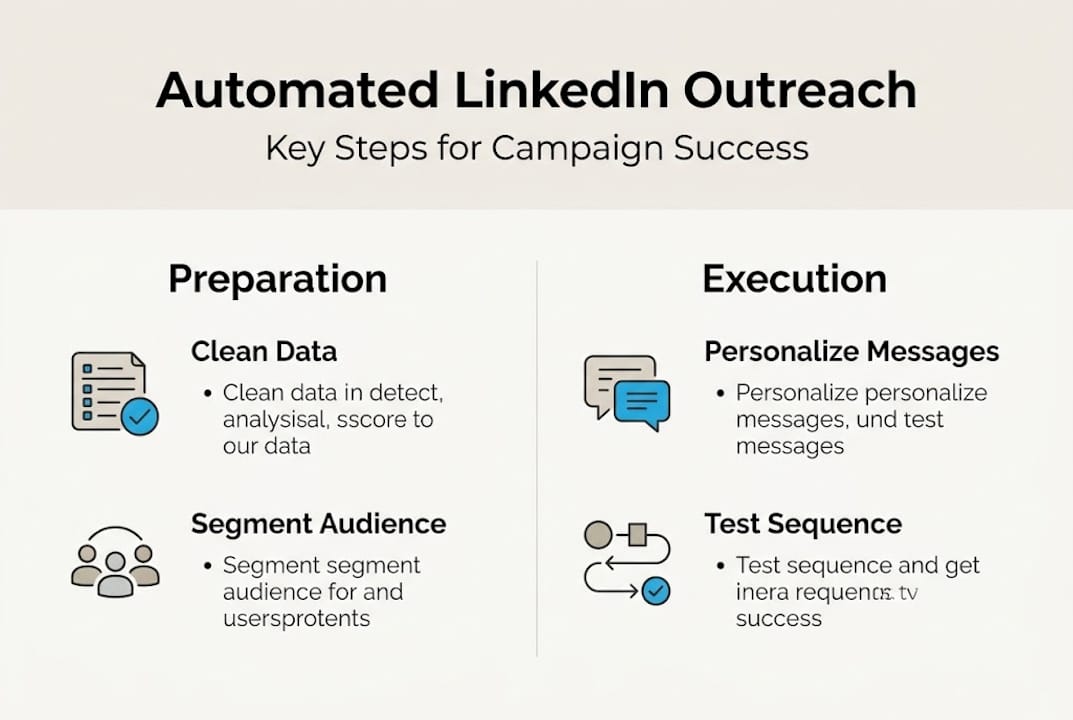
Pro Tip: Always test your full sequence before activating it. Send every step to yourself and a colleague. One broken token or misfire can reach hundreds of prospects before you catch it.
Troubleshooting and refining your outreach automation
Once your campaign is live, the work shifts from setup to monitoring. Automation does not mean unattended. The firms that get the best results treat their campaigns as living systems that need regular attention.
The most common errors to watch for include:
- Duplicate messages caused by importing the same contact twice or syncing errors between your CRM and the tool
- Spam trigger language such as phrases like “guaranteed results” or excessive exclamation points that flag your messages to LinkedIn’s algorithm
- Broken personalization tokens that display as raw code (for example, “Hi {{FirstName}}” instead of “Hi Sarah”)
- Sequence misfires where a prospect receives a follow-up before the connection request is accepted
- Wrong segment targeting where a message written for one audience is sent to a completely different one
Ongoing optimization is crucial for maximizing campaign ROI, and the data backs it up. Campaigns that are reviewed and adjusted weekly outperform those left on autopilot by a significant margin.
The key metrics to track are connection acceptance rate, message open rate, reply rate, positive reply rate, and meetings booked. If your acceptance rate drops below 20 percent, your targeting or connection note needs revision. If replies are coming in but meetings are not, your follow-up sequence is the weak link.
“Treating your first campaign as a finished product is the fastest way to plateau. Every send is a data point that tells you something about your audience.”
A/B testing is your most powerful refinement tool. Test one variable at a time: the subject of your connection note, the timing of your follow-up, or the call-to-action in your final message. Give each version at least 50 sends before drawing conclusions.
For fresh outreach campaign ideas that can inject new energy into a stalling campaign, exploring what other professional services firms are testing is a smart move.
What most automation guides miss: Real personalization at scale
Here is the uncomfortable truth most how-to guides avoid. Automation without genuine personalization is just efficient noise. We have seen firms invest in premium tools, build technically perfect sequences, and still generate almost no pipeline because every message felt like it came from a template factory.
The firms that win with LinkedIn automation are the ones that treat it as infrastructure, not strategy. The strategy is still human. It lives in the specific insight you include about a prospect’s recent post, the industry challenge you reference that only insiders would recognize, or the timing of your outreach relative to a trigger event.
Generic automation actually damages your brand in professional services because your prospects are sophisticated. They know a mass message when they see one. Explore real-world campaign examples to see how nuanced personalization, even at scale, consistently delivers outsized returns compared to volume-first approaches.
The manual oversight that most guides skip is the review of every positive reply by a human within hours, not days. That moment is where relationships start. Automation gets you to that moment faster. What happens next is entirely up to you.
Discover more LinkedIn outreach automation solutions
If this guide has shown you what is possible, the next step is putting it into practice with expert support behind you. At theleadlab.com/, we build done-for-you LinkedIn outreach campaigns for professional services firms that want qualified meetings without the manual grind.
Our automation services cover everything from prospect targeting and message copywriting to response management and campaign analytics. You can browse our project portfolio to see the outcomes we have delivered for firms like yours, and join our LinkedIn webinars for ongoing education on what is working right now. Ready to build a campaign that actually converts? Let us show you how.
Frequently asked questions
What is the main benefit of automating LinkedIn outreach campaigns?
Automation saves significant time, increases campaign reach, and ensures messaging consistency, all of which drive stronger engagement. Automation streamlines lead generation outreach for professional services firms at any scale.
How do I keep automated outreach personalized?
Use dynamic fields for names and company details, build segmented lists by role or industry, and tailor templates to specific audience pain points. Custom outreach campaigns on LinkedIn consistently yield higher response rates than generic blasts.
Which metrics should I track to assess automation success?
Focus on connection acceptance rate, reply rate, and meetings booked as your core indicators. Ongoing optimization based on these metrics is what separates high-performing campaigns from average ones.
What’s a common mistake firms make with outreach automation?
Relying too heavily on generic templates is the most frequent error. It strips authenticity from your messaging and signals to sophisticated B2B prospects that they are just a number in a sequence.
Can automation be used safely without violating LinkedIn’s policies?
Yes, provided you respect daily outreach limits, avoid spam trigger language, and use humanized messaging with responsible sequencing that mimics natural human behavior on the platform.
One Response