TL;DR:
- Creating an authentic, fully complete LinkedIn profile with a professional photo enhances visibility and engagement, especially for recruiters.
- Starting with a clear headline, personalized URL, and strategic experience descriptions helps your profile stand out and attracts meaningful connections.
- Avoid policy violations like multiple accounts or misleading info; instead, invest time in a well-optimized profile as a foundation for sustained professional growth.
You need to create a LinkedIn account and you need it to actually work for you. Not just exist. Whether you’re a job seeker trying to get noticed, a freelancer building credibility, or a professional finally getting serious about your network, the difference between a profile that opens doors and one that collects dust comes down to how you set it up from the start. This guide walks you through every step: signing up, building a profile worth reading, and setting up a company page if you need one.
Table of Contents
- Key takeaways
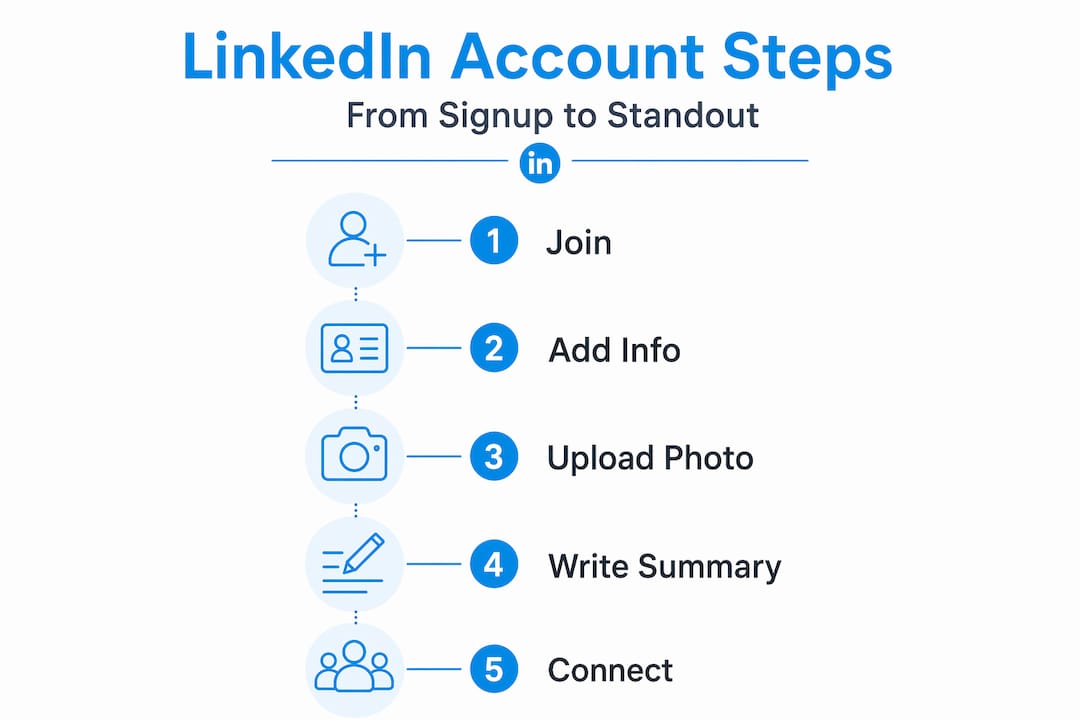
- How to create a LinkedIn account: what you need first
- Building a LinkedIn profile that actually gets noticed
- Creating a LinkedIn company page
- Common mistakes that get accounts suspended or ignored
- My honest take on LinkedIn in 2026
- Ready to take your LinkedIn presence further?
- FAQ
Key takeaways
| Point | Details |
|---|---|
| Use real information | Authentic details build trust and keep your account compliant with LinkedIn’s policies. |
| Profile completeness matters | A fully built profile with a professional photo gets significantly more engagement from recruiters. |
| Company pages need personal profiles first | Your personal account must be at least 7 days old with minimum connections before you can make a LinkedIn business page. |
| One account per person | Multiple personal accounts violate LinkedIn’s rules and risk permanent suspension. |
| Start outreach early | Growing your connections right after setup signals legitimacy and unlocks more platform features. |
How to create a LinkedIn account: what you need first
Before you click anything, get your information together. The setup goes faster and cleaner when you’re not hunting for details mid-process.
Here’s what you need ready before you start:
- A valid email address you actually check. LinkedIn sends a verification code to this address, and your account stays unverified until you enter it. You can use a personal or professional email, but pick one that will remain active long-term.
- Your real first and last name. LinkedIn is not anonymous. The platform is built on professional identity, and using nicknames or abbreviations will undermine your credibility from day one.
- A strong password that you haven’t used elsewhere.
- Your current or most recent job title and location. These fill in immediately after signup and shape how LinkedIn categorizes you in search.
- A professional photo, ready to upload. You do not need to add it during signup, but having it prepared means you can complete your profile in one sitting.
The sign-up process starts at linkedin.com: enter your email, choose a password, add your name, confirm your location, and verify your email with the code LinkedIn sends you. The whole signup takes under five minutes if you have your information ready. Desktop sign-up gives you more control over the process, but the mobile app works fine if that’s what you have on hand.
One policy point worth knowing upfront: LinkedIn prohibits multiple personal profiles per user. If you already have an account you forgot about, recover it rather than create a new one.
Pro Tip: Write out your headline, a two-sentence summary, and your top three skills before you open linkedin.com. You’ll fill in those fields while they’re still fresh and skip the blank-page paralysis that causes most people to leave their profiles half-finished.
Building a LinkedIn profile that actually gets noticed
Getting the account created is the easy part. What you do in the next 30 minutes determines whether your profile shows up in recruiter searches or disappears into the noise.
Your photo and headline
Profiles with professional photos receive roughly six times more engagement than those without. That single stat should tell you everything about prioritization. A professional photo does not mean a studio shoot. It means a clear, well-lit image where your face takes up most of the frame and you look like someone a hiring manager would want to meet.
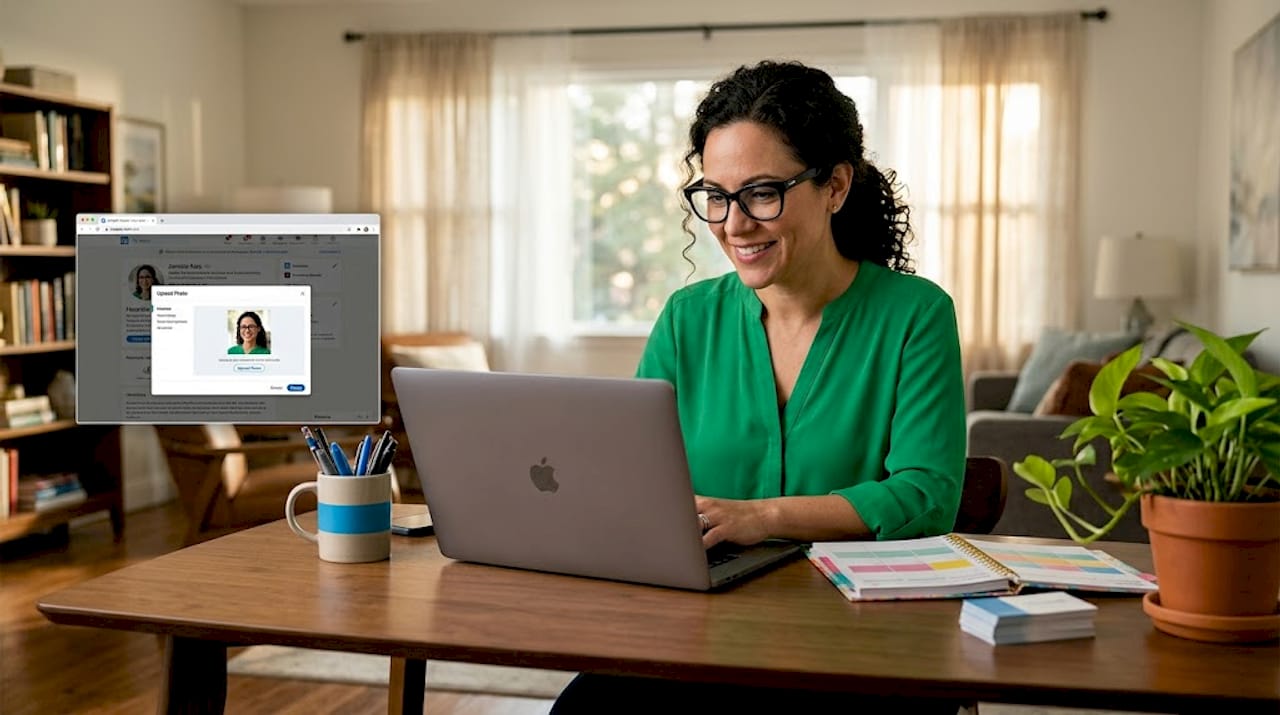
Your headline is the line that appears under your name everywhere on LinkedIn: in search results, in connection requests, in comments. Most people default to their job title. That’s a missed opportunity. Use the space to describe what you do and who you help. “Marketing Manager” tells people your title. “B2B Marketing Manager helping SaaS companies grow pipeline through content” tells them why they should connect with you.
The summary and experience sections
Your summary (now called the “About” section) is where you get to speak in your own voice. Keep it under 300 words, write in first person, and focus on the intersection of what you do well and what you want to do next. If you’re a job seeker, this is where you signal what kind of role you’re looking for without sounding desperate. If you’re a freelancer, treat it as your pitch.
The experience section should mirror the best version of your resume, but not copy it word for word. Use bullet points under each role to describe outcomes, not just responsibilities.
Here is what to complete before you consider your profile ready:
- Professional profile photo and a branded or relevant banner image
- Headline that describes your value, not just your title
- About section written in first person with a clear focus
- At least two work experience entries with outcome-focused descriptions
- Education section filled in completely
- Five or more skills added (LinkedIn uses these for search matching)
- Your public profile URL customized to your name (Settings > Edit public profile and URL)
Pro Tip: Customize your LinkedIn URL to something like linkedin.com/in/yourfirstnamelastname before you share your profile anywhere. A clean URL reads more professionally and is easier to put on a resume or email signature.
Connecting with at least 5 to 10 people right after setup is worth doing immediately. Beyond the personal networking benefit, building up your connection count early signals legitimacy to LinkedIn’s algorithm and unlocks platform features, including the ability to create a company page.
Once your profile gains traction, the next logical step is learning how to run effective B2B outreach so your growing network translates into real opportunities.
Creating a LinkedIn company page
If you run a business, freelance under a brand name, or represent an organization, setting up a company page gives you a separate presence that clients and partners can follow. A few things to understand before you start.
LinkedIn requires your personal profile to be at least 7 days old with intermediate profile strength and a minimum of 5 to 10 connections before you can create a company page. This is not a technical glitch. It’s a policy designed to prevent spam accounts. If you just created your new LinkedIn account today, build your personal profile first and come back in a week.
Here is how to create a company profile on LinkedIn once you meet those requirements:
- Log into your personal account and click the Work icon (the grid of nine dots) in the top right navigation.
- Scroll to the bottom of the dropdown and select Create a Company Page.
- Choose your page type: Company, Showcase Page, or Educational Institution.
- Enter your company name, the public LinkedIn URL you want for the page, and your website address.
- Select your industry, company size, and company type from the dropdown menus.
- Upload your company logo (minimum 300×300 pixels) and a banner image.
- Write your About section. Keep it under 2,000 characters and focus on the problem you solve for clients, not a generic mission statement.
- Click Create Page and verify that you are authorized to represent the company.
Once the page is live, link it to your personal profile by editing your work experience and selecting the company page from the dropdown when entering your employer.
| Company page element | Impact on visibility |
|---|---|
| Logo and banner image | Builds brand recognition and looks credible in search results |
| Completed About section | Doubles page traffic compared to pages with empty descriptions |
| Industry and company size | Helps LinkedIn categorize your page and surface it in relevant searches |
| Regular posts | Keeps followers engaged and signals an active, legitimate business |
Completing all company page fields including About, industry, size, and logo doubles page traffic compared to incomplete pages. That’s not a small difference worth ignoring.
Pro Tip: Write your company About section as an elevator pitch to a potential client, not a description for an investor. Ask yourself: “What problem do I solve, and for whom?” Answer that in the first two sentences and you’ll outperform 80% of company pages on the platform.
Common mistakes that get accounts suspended or ignored
Most LinkedIn problems come from one of two sources: violating policies or setting up a profile that no one has a reason to engage with. Both are avoidable.
The risks of multiple accounts are serious and often irreversible. LinkedIn links accounts by device data and user behavior, which means creating a second personal profile to work around a restriction or ban typically results in both accounts getting suspended. If your account gets banned, recovering the original is always the better path forward.
“The best approach on LinkedIn is a singular, authentic presence. Attempts to game or bypass verification inevitably backfire.”
Here are the mistakes worth avoiding as you get started:
- Fake or incomplete profile information. LinkedIn is increasingly verifying identities. Over 100 million profiles have added identity verification to boost trust, and profiles without real information feel off to both algorithms and humans.
- Sending too many connection requests too fast. Aggressive outreach right after account creation triggers spam filters and can restrict your account.
- Leaving your profile at 50% completion. Half-built profiles signal inactivity and get deprioritized in search results.
- Creating a company page before your personal profile is ready. You need that 7-day seasoning period and minimum connections first.
- Using automation tools that violate LinkedIn’s terms. Third-party bots that send mass messages or fake engagement can get your account flagged within days.
Pro Tip: Post one piece of original content within your first week. It can be short. A quick observation from your industry, a lesson you learned recently, anything in your own voice. Early activity tells LinkedIn’s algorithm that your account is real and worth surfacing to others.
My honest take on LinkedIn in 2026
I’ve worked with dozens of professionals who treated LinkedIn as something to get around to eventually. That thinking is expensive in ways that are hard to quantify until you see it. In 2026, LinkedIn isn’t where you go when you’re job hunting. It’s where professional credibility either exists or it doesn’t.
What I’ve seen repeatedly is that the professionals who benefit most from LinkedIn are not the ones gaming the system. They’re the ones who put 45 minutes into a solid profile setup, spend 10 minutes a week engaging authentically, and let compound interest do the rest. The absence from the platform is effectively professional self-erasure at this point.
I’ve also watched people waste months trying shortcuts: fake profiles, bulk automation, thin company pages. Every time, it ends the same way. Suspended accounts, zero ROI, and starting over. The irony is that a properly built personal profile and a complete company page, created the right way, will outperform any shortcut strategy within six months of consistent use.
My honest advice: treat your LinkedIn profile creation as a one-time 60-minute investment. Do it right, do it once, and then focus your energy on improving outreach quality rather than rebuilding from scratch.
— Toby
Ready to take your LinkedIn presence further?
Getting your profile and company page set up correctly is the foundation. What you build on top of it determines your results.
At Theleadlab, we specialize in turning properly built LinkedIn profiles into consistent pipelines of qualified conversations. From targeted prospecting to personalized message sequences and response management, our done-for-you campaigns are built specifically for professional services firms. If you’re serious about making LinkedIn generate real business, explore our LinkedIn services or check out our client work to see what’s possible. You can also join one of our LinkedIn strategy webinars if you want to sharpen your skills before going all in.
FAQ
How long does it take to create a new LinkedIn account?
The basic sign-up takes under five minutes. Building a complete profile with a photo, headline, summary, and experience sections takes about 30 to 60 minutes if you prepare your information in advance.
Can I create a company profile on LinkedIn without a personal account?
No. LinkedIn architecture requires all company pages to be created and managed through a verified personal profile. Standalone business accounts without a linked personal profile are not permitted.
How do I set up a LinkedIn company page for the first time?
Go to the Work icon in your LinkedIn navigation, select “Create a Company Page,” and follow the steps to enter your company details, upload a logo, and write your About section. Your personal account must be at least 7 days old with intermediate profile strength first.
What happens if I create multiple personal LinkedIn accounts?
LinkedIn’s policy strictly prohibits multiple personal profiles, and the platform uses device and behavioral data to detect them. Both accounts are typically suspended. If your original account was banned, recovering it is the recommended path rather than creating a new one.
Does completing my LinkedIn profile really make a difference?
Yes, significantly. Profiles with professional photos get roughly six times more engagement, and complete company pages with a filled About section, logo, and industry details generate double the traffic of incomplete ones.