A strong email introduction for a job does one thing above everything else: it makes the hiring manager want to open your attachments. The best ones are short, specific, and written for a single person at a single company. They run 100–200 words, cover exactly five elements, and never try to replace the resume.
Those five elements are:
- Subject line: Include the job title and your full name. “Application for Marketing Coordinator — Jane Doe” beats “Job Application” every time.
- Personalized greeting: Address the hiring manager by name when you can find it.
- Brief introduction: State who you are, what role you want, and how you found it — three sentences at most.
- Qualifications snapshot: One or two sentences on your most relevant experience or a specific achievement.
- Call to action and sign-off: Ask for a conversation, then close with your full name, phone number, email, and optionally your LinkedIn URL.
Keep the body to three or four paragraphs. Recruiters do not read long emails. Your resume and cover letter carry the detail; the email just needs to earn the click.
How to write an effective email introduction for a job
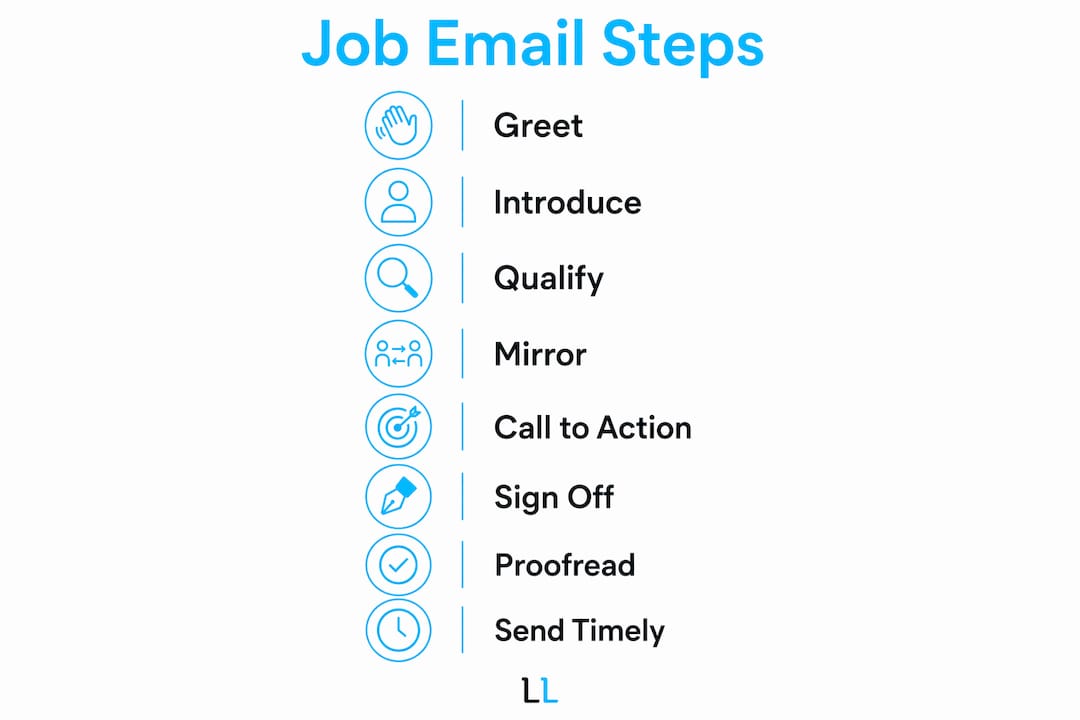
Writing a job introduction email is a craft, not a formula. Each step below builds on the last, and skipping any one of them tends to show.

Step-by-step process
1. Write the subject line first
The subject line decides whether your email gets opened or filtered out. A specific, descriptive subject line with the job title and your name outperforms vague alternatives. Three formats that work:
- Standard: Application for [Job Title] — [Your Full Name]
- Referral: Referred by [Name] — Application for [Job Title]
- Competitive role: [Job Title] Candidate with [Key Skill] — [Your Name]
2. Personalize the greeting
“Dear Hiring Team” works when you genuinely cannot find a name. But personalizing the greeting and mentioning how you found the role improves your chances of a positive response. Spend two minutes on LinkedIn before you write a single word. Finance and law typically call for “Dear Ms. [Last Name]”; tech and media are fine with “Hi [First Name].”
3. Open with who you are and why you’re writing

Your first sentence should do the work of a resume objective. State your name, the position you want, and where you saw it listed. If someone referred you, lead with that. Referrals get read more carefully, so put the name up front rather than burying it in paragraph two.
4. Summarize your qualifications in two sentences
Pick the one or two credentials that match the job most directly. A specific achievement with a number beats a list of adjectives. “I led a team that cut onboarding time by 30%” tells a hiring manager more than “I am a results-driven professional.”
5. Mirror the job description’s language
Read the posting carefully and use its exact terminology in your email. If the company calls it “customer success,” don’t write “client support.” Matching their vocabulary signals that you read the description closely and understand the role, not that you copy-pasted a template.
6. Include a specific call to action
“I’d love to pick your brain” is not a call to action. Neither is “feel free to reach out.” Ask for something concrete: “I’d welcome a 20-minute call this week to discuss how my background fits your team’s needs.” A yes-or-no ask is far easier to respond to than an open-ended one.
7. Close with a professional sign-off
Use “Best regards” or “Sincerely,” then include your full name, phone number, email address, and LinkedIn URL if your profile is current. Avoid “Cheers” or “Thanks!” for formal industries.
8. Name your attachments properly
PDF attachments preserve formatting in a way Word files do not, and they’re easier for hiring managers to open on any device. Name the file with your full name and the year: Jane_Doe_Resume_2026.pdf. A file called resume_final_v3.pdf tells the recruiter nothing and looks careless.
9. Proofread before you send
Read the email aloud. Errors that your eye skips over become obvious when you hear them. Send a test copy to yourself first to see exactly how it renders in an inbox, including how the subject line appears on mobile.
10. Avoid these common mistakes
- Asking questions in the introduction (“Do you have any openings?”) signals you didn’t read the posting.
- An overly casual tone (“Hey there!”) undercuts your credibility before the hiring manager reads a word.
- Attaching a Word document instead of a PDF risks formatting breaking on the recipient’s end.
- Writing more than 200 words in the body turns the email into a second cover letter nobody asked for.
11. Time your send
Tuesday and Wednesday mornings between 8 AM and 10 AM local time tend to yield better open rates than Friday afternoons or weekends. It’s a small edge, but when everything else is equal, timing matters.
Pro Tip: Before hitting send, paste your email into a plain-text editor and read it as if you’re the hiring manager seeing it for the first time. If you can’t identify the job title, the candidate’s name, and a clear next step within ten seconds, rewrite it.
Email introduction examples for every job search scenario
Templates are starting points, not scripts. The goal is to give you a structure you can adapt in under ten minutes, not something you send verbatim.
Cold application (no referral)
Use this when you’re applying to a posted role with no internal connection.
Subject: Application for Project Manager — Alex Rivera
Dear Ms. Chen,
My name is Alex Rivera, and I’m writing to apply for the Project Manager position listed on your careers page. With six years of experience managing cross-functional teams in the healthcare industry, I’m confident my background aligns with what MedTech Solutions is looking for.
In my current role, I led a product launch that reduced time-to-market by three months and came in 12% under budget. I’ve attached my resume and cover letter for your review.
I’d welcome a brief call this week to discuss how I can contribute to your team. Thank you for your time.
Best regards,
Alex Rivera | (555) 234-5678 | arivera@email.com | linkedin.com/in/alexrivera
What makes it work: The opening sentence covers name, role, and source in one breath. The achievement is specific and quantified. The call to action is a concrete, easy-to-answer request.
Referral-driven application
When someone inside the company pointed you toward the role, lead with their name. Mentioning a referral immediately separates your email from the pile.
Subject: Referred by Jordan Kim — Application for UX Designer — Dana Patel
Dear Mr. Okafor,
Jordan Kim, a senior designer on your team, suggested I reach out about the UX Designer opening. We worked together at Finova Labs, and she felt my background in mobile-first design would be a strong fit for your current projects.
Most recently, I redesigned a checkout flow that increased conversion by 22%. My resume and portfolio are attached. I’d love to find 20 minutes this week to discuss the role.
Sincerely,
Dana Patel | (555) 876-4321 | dpatel@email.com
What makes it work: The referral appears in the first sentence, not buried in paragraph two. The achievement is concrete. The ask is specific and time-bound.
Networking follow-up transitioning to a job inquiry
After an informational interview or a conference conversation, this email converts a warm connection into a formal expression of interest.
Subject: Following up from our conversation — Marcus Webb
Dear Dr. Flores,
Thank you again for speaking with me last Tuesday. Your perspective on the shift toward predictive analytics in supply chain management was genuinely useful, and I’ve been thinking about it since.
Based on our conversation, I wanted to formally express my interest in the Data Analyst role at Meridian Logistics. My background in Python-based forecasting models maps closely to the work your team described. I’ve attached my resume for your reference.
If there’s anyone else you’d recommend I speak with, I’d be grateful for an introduction.
Best,
Marcus Webb | (555) 432-1098 | mwebb@email.com
What makes it work: It references a specific topic from the conversation, which proves the follow-up is genuine. The transition to the job interest feels natural rather than transactional. For networking emails like this, the double-opt-in approach — confirming both parties are open to connecting before making a formal introduction — keeps the process professional and respectful.
New job introduction (starting a new role)
When you’re announcing yourself to clients or colleagues at a new company, brevity and warmth matter more than credentials.
Subject: Meet your new account manager — Priya Nair
Dear Ms. Thompson,
My name is Priya Nair, and I’ve just joined Clearfield Consulting as your new account manager. I’m looking forward to supporting your team and continuing the work that brought you to Clearfield in the first place.
I’d love to schedule a brief call in the next week or two to introduce myself properly and learn more about your current priorities. Please feel free to reach me at the contact details below.
Warm regards,
Priya Nair | (555) 678-9012 | pnair@clearfieldconsulting.com
What makes it work: No credentials dump. The focus is entirely on the client’s experience, not the sender’s background.
Key takeaways from these examples:
- Lead with the referral or connection when one exists; it changes how the email is read.
- One specific achievement beats three vague claims every time.
- Adjust formality to the industry: finance and law want “Dear Ms. [Last Name]”; startups and creative fields are fine with “Hi [First Name].”
- Keep the body under 200 words regardless of scenario.
- A call to action with a specific time frame (“this week,” “in the next two weeks”) gets more responses than an open-ended one.
Pro tips that actually move the needle on response rates
Most job seekers get the basics right. The gap between a good email and one that gets a reply usually comes down to a few less obvious moves.
Think of the email as an advertisement
Your introduction email is not the product. You are. The email is the ad. Its only job is to generate enough interest that the hiring manager opens your resume. That reframe changes how you write it: every sentence either earns attention or wastes it.
Use the double-opt-in for networking introductions
When you’re asking a mutual contact to introduce you to a hiring manager, the double-opt-in method is the most professional approach. Ask your contact to check whether the hiring manager is open to an introduction before making it. This respects everyone’s time and makes the eventual introduction far warmer than a cold forward.
Mirror the job description’s exact language
If the posting says “cross-functional collaboration,” use that phrase. If it says “growth marketing,” don’t substitute “digital marketing.” Applicant tracking systems scan for keyword matches, and hiring managers notice when your language aligns with theirs. This isn’t about gaming a system; it’s about demonstrating that you read the posting carefully. For professionals also building their digital presence, integrating consistent language across your personal brand profiles reinforces the same message recruiters see in your email.
Send on Tuesday or Wednesday morning
Recruiters tend to open job-related emails on Tuesday and Wednesday mornings between 8 AM and 10 AM local time. Avoid Friday afternoons and weekends. It’s a small adjustment that costs nothing.
Name your PDF files like a professional
Jane_Doe_Resume_2026.pdf is immediately identifiable in a folder full of applications. resume_final.pdf is not. The file name is part of your first impression, and it’s one of the easiest things to get right.
Customize every single email
Copy-pasting a template and swapping the company name is obvious to anyone who reads applications regularly. Spend five minutes researching one specific thing about the company or team and reference it. That detail signals genuine interest in a way no template can fake.
Follow up after 7–10 days
If you haven’t heard back after seven to ten days, send a short follow-up. Reiterate your interest in the role, mention that you wanted to check whether they need anything additional, and keep it to three sentences. One follow-up is professional; two starts to feel like pressure.
Make your call to action a yes-or-no question
“Would you be available for a 20-minute call next week?” is easy to answer. “I’d love to connect sometime” is not. The easier you make it to say yes, the more often people do.
Pro Tip: Before you send any job application email, look up the hiring manager on LinkedIn. Referencing one specific detail about their work or the company’s recent news in your email takes two minutes and makes the message feel written for them, not for anyone.
For professionals who want to take their outreach further, understanding common outreach mistakes on LinkedIn can sharpen the same instincts that make job introduction emails work.
Key Takeaways
A well-crafted email introduction for a job keeps the body to three or four short paragraphs, leads with a specific subject line, and closes with a concrete call to action.
| Point | Details |
|---|---|
| Keep it short | Limit the email body to three to four paragraphs; recruiters do not read long emails. |
| Subject line specificity | Include the job title and your full name to improve open rates over generic subject lines. |
| Lead with referrals | Mention a referral in the first sentence when one exists; it changes how carefully the email is read. |
| Use PDF attachments | Send resumes as PDFs named with your full name and year, such as Jane_Doe_Resume_2026.pdf. |
| Follow up once | If no response after 7–10 days, send one short follow-up reiterating your interest. |
Want to apply the same principles of targeted, personalized outreach to your broader professional pipeline? The Lead Lab helps professional services firms build outreach campaigns that get read and get responses.