TL;DR:
- Your LinkedIn company page URL is a permanent public identifier crucial for visibility and branding. Choosing a clear, brand-aligned slug during setup is essential, as it cannot be changed afterward. Incomplete or poorly optimized pages hurt search rankings and credibility, making comprehensive setup and consistent branding vital for success.
Your LinkedIn company page URL is the permanent public address that identifies your business on LinkedIn, and getting it right from day one determines how easily prospects, partners, and search engines find you. Most professionals treat the URL as an afterthought. It is not. The URL slug you choose at setup is locked permanently, which means a poorly chosen address follows your brand indefinitely. This guide walks you through every step of creating, customizing, and optimizing your company page for maximum visibility and brand recall in 2026.
What is a LinkedIn company page URL?
A LinkedIn company page URL is the unique web address that points to your business profile on LinkedIn, following the format linkedin.com/company/your-brand-name. It functions as your brand’s public gateway on the platform, appearing in Google search results, email signatures, and outreach campaigns. A clean, brand-aligned URL signals professionalism before a prospect even clicks. Effective company page URLs actively contribute to brand recall, SEO, and the professional perception of your business.
The URL slug is the customizable portion after /company/. For example, a firm called “Apex Consulting” would aim for linkedin.com/company/apex-consulting. That slug is what you control at setup, and it is the single most consequential decision you make when you create a LinkedIn company page.
What do you need before creating your LinkedIn company page?
LinkedIn enforces specific account requirements before you can create a company page. Your personal LinkedIn account must be at least 7 days old with intermediate profile strength or higher. Intermediate profile strength means your personal profile includes a photo, headline, current position, and at least two other completed sections. Without meeting this threshold, the page creation option simply does not appear.
Beyond account eligibility, you need three pieces of information ready before you start.
| Prerequisite | Details |
|---|---|
| Personal LinkedIn account | At least 7 days old, intermediate profile strength or higher |
| Company name | The exact name as you want it displayed publicly |
| Website URL | Your business website address (e.g., https://yourcompany.com) |
| Logo file | Square image, ideally 300x300px, PNG or JPG format |
| URL slug idea | A short, brand-consistent string with no spaces or special characters |
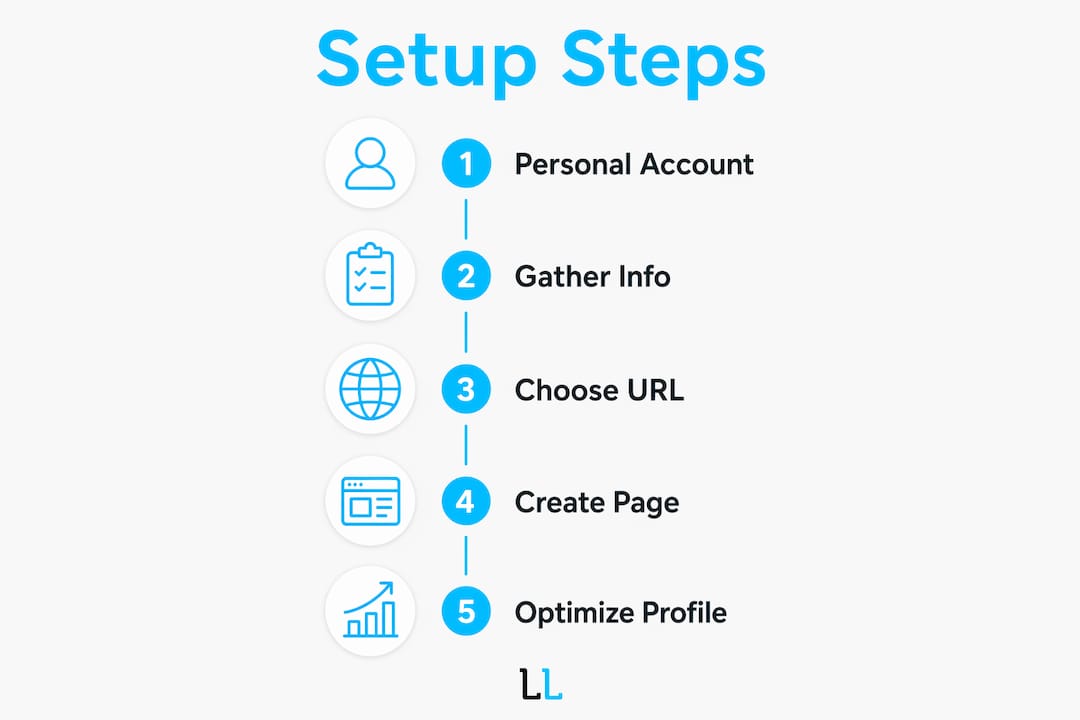
Preparing these assets before you open LinkedIn saves time and prevents you from locking in a placeholder URL by accident. The slug field appears during the creation flow, and many professionals skip past it without thinking. That is the mistake this guide helps you avoid.
How do you create and customize your LinkedIn company page URL?
Creating a company page starts by clicking the “Work” grid icon in the top right of your LinkedIn homepage, then selecting “Create a Company Page” at the bottom of the dropdown. LinkedIn then asks you to choose a page type: Company, Showcase Page, or Educational Institution. Select “Company” for a standard business profile.
Follow these steps to complete setup and lock in your URL:
- Select page type. Choose “Company” from the page type options.
- Enter your company name. Type the exact name you want displayed. LinkedIn auto-populates a URL slug based on what you type.
- Edit the URL slug immediately. Do not accept the auto-generated slug without reviewing it. Delete it and type your preferred version.
- Choose a clean slug. Use lowercase letters, your brand name, and hyphens between words if needed. Avoid numbers, underscores, or random characters.
- Add your website URL. Paste your business website address into the website field.
- Select company size and industry. These fields affect how LinkedIn categorizes your page in search.
- Upload your logo. Use a 300x300px image for the best display across devices.
- Check the verification box. Confirm you are authorized to create the page on behalf of the company.
- Click “Create Page.” Your page goes live and your URL is set permanently.
The URL locks after creation and cannot be changed. This is not a bug. LinkedIn treats the URL as a permanent identifier to prevent abuse and confusion. Plan your slug carefully before you click “Create Page.”
Pro Tip: Reserve your exact brand name as the URL slug, even if the auto-generated version looks close. Small differences like “apexconsulting” versus “apex-consulting-group” affect how the URL reads in emails and printed materials. Shorter is almost always better.

Good URL formatting includes simplicity, brand consistency, and ease of recall. A URL that matches your company name exactly is the gold standard. If your exact brand name is taken, add your city or industry descriptor as a suffix rather than a random number.
How do you optimize your LinkedIn company page for better visibility?
A clean URL gets people to your page. What they find there determines whether they stay, follow, or reach out. LinkedIn’s algorithm prioritizes fully complete pages that are frequently updated, which means every blank field costs you visibility.
Start with the “About” section. Lead with the specific problems you solve rather than a generic company history. A consulting firm that opens with “We help mid-market manufacturers reduce procurement costs by 20%” will outperform one that opens with “Founded in 2010, we are a full-service consulting firm.” The first version tells a prospect exactly why they should care.
Use the “Specialties” field to its full capacity. LinkedIn allows up to 20 keywords in the Specialties section, and each one feeds the platform’s internal search index. Fill all 20 slots with terms your ideal clients actually search for. Think job titles, industries, pain points, and service categories.
Visual consistency matters as much as written content. Here are the core optimization practices to apply:
- Upload a 300x300px logo for the profile image. Blurry or cropped logos signal an abandoned page.
- Use a 1128x191px cover image that reinforces your brand message with a tagline or visual.
- Match your cover image colors and fonts to your website and other marketing materials.
- Add your website link in the designated field. A missing website link is a credibility gap.
- Include your company location, even if you work remotely. Location data affects local search results.
- Post updates at least twice per week. Activity signals to LinkedIn’s algorithm that your page is active.
Visual consistency using standardized image sizes builds brand trust and increases interaction on your page. Prospects who see a polished, consistent page are far more likely to click through to your website or send a connection request.
Pro Tip: Treat your LinkedIn cover image as a billboard. Include one clear value statement and a call to action like “Book a free consultation.” Update it seasonally or when you launch a new service to keep the page feeling current.
For broader guidance on social profile optimization that applies across platforms, the principles of clarity, consistency, and completeness translate directly to LinkedIn.
What are the most common LinkedIn company page URL problems?
The most frequent mistake is accepting LinkedIn’s auto-generated URL slug without reviewing it. Auto-generated slugs often include numbers, truncated words, or random strings that look unprofessional in outreach messages and printed materials.
Incomplete pages hurt credibility and SEO performance because LinkedIn’s algorithm penalizes profiles with missing sections. A page without an About section, website link, or logo ranks lower in both LinkedIn search and Google results. Many businesses launch a page and then leave it 40% complete, which is worse than not having a page at all because it signals neglect.
Here are the most common issues and how to fix them:
- URL already taken. If your brand name slug is claimed, add a descriptor like your city, industry, or service type as a suffix. Avoid numbers.
- URL looks wrong after creation. You cannot change it. Your only option is to create a new page with the correct URL and migrate your followers. This is why planning matters.
- Page not appearing in Google search. Check that your About section has at least 200 words, your website link is active, and your page has been live for at least two weeks.
- Low follower count affecting credibility. Invite your personal connections to follow the page immediately after launch. LinkedIn allows page admins to send invitations directly.
- Outdated logo or cover image. Update visual assets whenever your brand refreshes. Stale images signal an inactive business.
LinkedIn locks the company page URL after creation, so the only real fix for a bad URL is starting over with a new page. That means losing any followers and content history you have built. Prevention is the only practical strategy.
Key Takeaways
A well-chosen, fully optimized LinkedIn company page URL is a permanent brand asset that directly affects search visibility, professional credibility, and outreach effectiveness.
| Point | Details |
|---|---|
| URL is permanent | Choose your slug carefully at setup because LinkedIn locks it after creation. |
| Account eligibility matters | Your personal account must be at least 7 days old with intermediate profile strength. |
| Complete every field | Incomplete pages rank lower in LinkedIn and Google search results. |
| Keywords drive discovery | Fill all 20 Specialties slots with terms your ideal clients search for. |
| Visuals build trust | Use a 300x300px logo and a 1128x191px cover image for consistent brand presentation. |
Why your URL choice is the decision most businesses get wrong
The URL is the one decision on LinkedIn you cannot undo, and most businesses treat it like a form field to get past rather than a branding decision to get right. I have seen professional services firms launch pages with slugs like “apex-consulting-12” because someone clicked through the setup too fast. That number at the end follows every email signature, every outreach message, and every Google result indefinitely.
The deeper issue is that businesses focus on content and visuals while ignoring the structural foundation. A polished cover image on a page with a clunky URL is like a great storefront with the wrong address on the sign. The URL is what gets shared, typed, and remembered. It is the first signal of professionalism before anyone reads a single word on your page.
My honest recommendation: treat the URL slug decision the same way you treat your domain name. Write down three options, check availability, and choose the one that is shortest, clearest, and most brand-aligned. Then build everything else on top of that foundation. The businesses that do this right from day one spend zero time on damage control later.
— Toby
How The Lead Lab helps you get LinkedIn right from the start
Building a strong LinkedIn presence takes more than a clean URL. It takes a complete page, a consistent content strategy, and outreach that converts profile views into real conversations.
The Lead Lab specializes in done-for-you LinkedIn campaigns for professional services firms. From page setup and profile optimization to targeted outreach and response management, the team handles the details that most businesses overlook. If you want your LinkedIn company page to generate qualified leads rather than just exist, see what The Lead Lab delivers for firms like yours. You can also review client results and case studies to see the outcomes other professional services businesses have achieved.
FAQ
What is the format of a LinkedIn company page URL?
A LinkedIn company page URL follows the format linkedin.com/company/your-slug. The slug is the customizable portion you set during page creation.
Can you change your LinkedIn company page URL after creation?
No. LinkedIn locks the company page URL immediately after creation. Choosing the right slug at setup is the only opportunity you get.
What are the account requirements to create a LinkedIn company page?
Your personal LinkedIn account must be at least 7 days old and have intermediate profile strength or higher before LinkedIn allows you to create a company page.
How do you find the URL for a LinkedIn company page?
Navigate to the company page on LinkedIn and copy the address from your browser’s address bar. The URL appears in the format linkedin.com/company/company-name.
Why is my LinkedIn company page not showing up in search results?
An incomplete page is the most common cause. Fill in your About section, add your website link, upload a logo, and post regular updates to signal activity to LinkedIn’s algorithm.