TL;DR:
- Creating a LinkedIn Company Page requires a verified, 7-day-old personal profile with intermediate strength and a verified company email.
- Optimizing the About section and filling all 20 keyword slots enhance search visibility and foster credibility.
Adding a company on LinkedIn means creating an official LinkedIn Company Page, which serves as your business’s professional digital presence on the world’s largest B2B network. The process is free and takes under 10 minutes, but LinkedIn enforces specific prerequisites that trip up many professionals before they even start. Get those requirements right, and you have a credible, searchable business profile that works for you around the clock. This guide covers every step, from setup through optimization, so your page launches with authority from day one.
What do you need before you create a LinkedIn Company Page?
LinkedIn enforces a clear set of requirements before it lets you create a company page. Skipping this checklist is the top reason professionals hit a dead end at the creation screen.
Your personal LinkedIn profile must meet all of the following criteria:
- Profile age: Your personal account must be at least 7 days old with intermediate profile strength or higher. A brand-new account will be rejected automatically.
- Profile strength: LinkedIn rates profiles from Beginner to All-Star. You need at least Intermediate, which means a complete headline, summary, and at least one work experience entry.
- Verified company email: You must have a company email address added and verified on your personal profile. A Gmail or Yahoo address does not qualify. LinkedIn uses this to confirm you represent a real organization.
- Employee listing: Your personal profile should list the company you are creating the page for as your current employer. This signals to LinkedIn that you are an authorized representative.
- Company assets ready: Have your company name, logo (minimum 300×300 pixels), website URL, industry category, and a one-line tagline prepared before you start.
LinkedIn verification requires a legitimate organizational name and a verified business email domain to prove authority for page creation. This is not optional. LinkedIn will ask you to confirm you are an authorized representative before publishing.
Pro Tip: Complete your personal profile to All-Star strength before attempting page creation. It takes 15 minutes and eliminates the most common rejection reason.

How do you create a LinkedIn Company Page step by step?
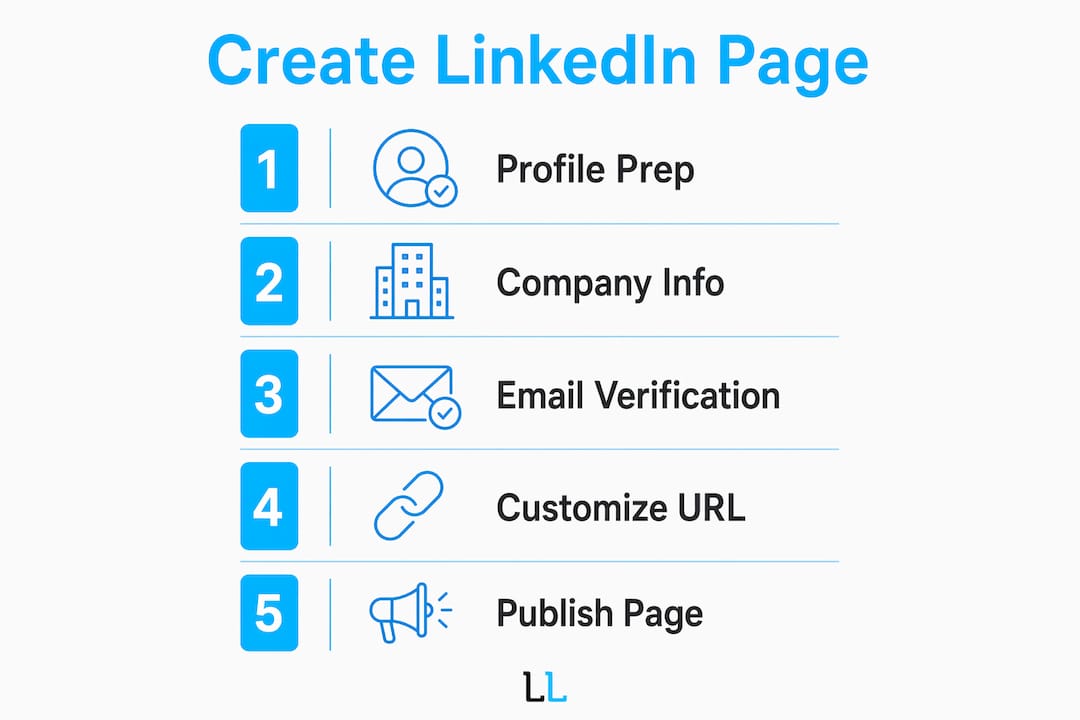
The creation process follows a fixed sequence inside LinkedIn’s interface. Work through each step without skipping, and your page will be live in under 10 minutes.
- Log into LinkedIn and click the grid icon labeled “For Business” in the top-right navigation bar.
- Select “Create a Company Page” from the dropdown menu. LinkedIn will present four page type options.
- Choose your page type. Select “Company” for a standard business. Use “Showcase Page” only if you are creating a sub-brand page under an existing company page. Use “Educational Institution” for schools and universities.
- Enter your company name. LinkedIn will check for existing pages with the same name. If a conflict appears, you can differentiate with a location or descriptor.
- Set your public URL. This is your permanent LinkedIn address (e.g., linkedin.com/company/your-brand-name). Choose a simple, brand-aligned URL at this stage. It cannot be easily changed later, so treat it like a domain name.
- Select your industry, company size, and company type. These fields feed LinkedIn’s search and recommendation algorithms.
- Enter your website URL and tagline. The tagline appears under your company name in search results. Keep it under 120 characters and lead with your core value proposition.
- Upload your logo and banner image. The logo displays at 300×300 pixels. The banner displays at 1,128×191 pixels. Both should match your website and other brand channels.
- Check the verification box. Confirm you are authorized to create this page on behalf of the company.
- Click “Create Page.” LinkedIn publishes a draft page immediately.
The table below summarizes the key fields and what LinkedIn does with each one.
| Field | What LinkedIn uses it for |
|---|---|
| Company name | Search indexing and page identity |
| Public URL | Permanent page address across all channels |
| Industry | Algorithm-based recommendations and search filters |
| Tagline | Displayed in search results under company name |
| Logo and banner | Visual identity in feeds, search, and notifications |
| Website URL | Cross-referencing and trust verification |
How do you optimize your LinkedIn Company Page for better visibility?
Publishing the page is only the beginning. The default page LinkedIn creates is bare and ranks poorly in both LinkedIn search and Google. These steps close that gap.
Write an About section that leads with customer value. The About section is indexed by both Google and LinkedIn to drive organic traffic. Lead with customer problems and value propositions, not your founding story. A consulting firm, for example, should open with the specific problem it solves for clients, not the year it was founded. Treat this field as a 2,000-character landing page, not a company history.
Fill the Specialties field completely. The Specialties field accepts up to 20 keywords and functions as a hidden SEO layer inside LinkedIn. Most pages leave this half-empty. Filling all 20 slots with relevant service terms, industry phrases, and audience descriptors increases the chances your page appears in relevant searches. Think of it as LinkedIn’s version of meta keywords, except it actually works.
Align your branding across channels. Consistency between LinkedIn branding and your external website, including taglines and descriptions, builds trust with both clients and job seekers. Mismatched messaging creates doubt. Use the same tagline, brand colors, and value language across LinkedIn, your website, and any other professional profiles. This alignment also feeds search indices and strengthens your overall credibility.
Additional optimization steps to complete before going live:
- Enable the Services Page if your company has 500 or fewer employees. This free feature lets you list up to 10 services and activates direct messaging from potential clients, which is a direct lead generation tool built into the platform.
- Assign admin roles to team members who will manage content. Go to Settings > Manage Admins and add at least one backup admin so the page is never locked to a single account.
- Verify your company email on your personal profile if you have not already. This step confirms page authorization and unlocks additional trust signals on the page itself.
Pro Tip: Use your top three service keywords in the first two sentences of your About section. LinkedIn’s search algorithm weights the opening lines more heavily than the rest of the field.
What should you do after your LinkedIn Company Page goes live?
A newly created page with no posts and no followers reads as abandoned. LinkedIn’s algorithm actively deprioritizes inactive pages, so the first 48 hours after creation matter more than most professionals realize.
Publishing an introductory post immediately after page creation and inviting connections to follow is the single most effective way to signal credibility to both LinkedIn’s algorithm and first-time visitors. Early engagement directly influences how widely LinkedIn distributes your page in recommendations and search results.
Act on these steps within the first two days of launch:
- Publish an introductory post that explains who you are, what you do, and who you serve. Pin it to the top of your page. This is the first content a visitor sees, so make it count.
- Invite your LinkedIn connections to follow the page. LinkedIn allows page admins to send direct follow invitations to first-degree connections. Use this feature immediately after launch.
- Ask employees to link the company page to their personal profiles as their current employer. Employee-connected pages receive stronger organic reach because LinkedIn’s algorithm favors pages tied to active employee networks.
- Handle the “Create Company Page” button being grayed out by checking your personal profile age, profile strength, and verified email. All three must be in order. If the button remains disabled after fixing these, wait 24 hours and try again from a desktop browser.
- Resolve company name conflicts by adding a city, region, or descriptor to differentiate your page. LinkedIn does not prevent duplicate names, but a clear differentiator helps clients find the right page.
For professionals who want to turn their page into a lead generation asset from day one, The Lead Lab’s guidance on crafting value-driven messaging is a practical next step after the technical setup is complete.
Key Takeaways
A LinkedIn Company Page delivers measurable professional credibility only when the setup, optimization, and early activation steps are all completed correctly.
| Point | Details |
|---|---|
| Meet prerequisites first | Your personal profile must be 7+ days old, intermediate strength, with a verified company email. |
| Lock in your URL early | Choose a clean, brand-aligned public URL at creation since it cannot be easily changed later. |
| Optimize the About section | Lead with customer value, not company history, to maximize LinkedIn and Google search indexing. |
| Use all 20 Specialties slots | Fill every keyword slot to maximize search visibility inside LinkedIn’s algorithm. |
| Activate within 48 hours | Publish a post and invite followers immediately to avoid the abandoned-page penalty in LinkedIn’s algorithm. |
What I’ve learned from watching professionals set up LinkedIn pages wrong
Most professionals treat the LinkedIn Company Page as a checkbox. They fill in the minimum fields, upload a logo, and move on. That approach produces a page that ranks nowhere and converts nobody.
The About section is where I see the biggest waste. Professionals write three sentences about when the company was founded and what industry it serves. That is not a marketing asset. The About section is the only long-form text field LinkedIn gives you, and Google indexes every word of it. A well-written About section, focused on the specific problem you solve and the specific client you serve, drives inbound traffic that most professionals do not even know they are missing.
The Specialties field is the second biggest missed opportunity. I have reviewed dozens of company pages where this field is either empty or has three generic entries. Twenty keyword slots, all relevant and specific, is a meaningful SEO advantage that costs nothing and takes 10 minutes to fill.
The URL choice is the one mistake that cannot be undone. I have seen companies stuck with clunky, auto-generated URLs because they did not realize the field was editable at creation. Treat it like registering a domain. Get it right the first time.
The professionals who get the most from their LinkedIn presence treat the page as a living asset, not a one-time task. Consistent posting, employee engagement, and a well-written profile compound over time. The setup is the foundation. What you build on it determines the return.
— Toby
How The Lead Lab helps you build a LinkedIn presence that generates leads
Setting up a LinkedIn Company Page is the technical foundation. Turning that page into a consistent source of qualified leads requires a different level of strategy.
The Lead Lab specializes in LinkedIn outreach and lead generation for professional services firms. From page optimization and profile branding to done-for-you outreach campaigns, The Lead Lab builds the systems that convert your LinkedIn presence into booked meetings. Clients across consulting, financial services, and B2B sectors have used The Lead Lab’s approach to move from an underperforming page to a predictable pipeline. If your LinkedIn setup is complete and you are ready to put it to work, The Lead Lab is the next step.
FAQ
How long does it take to create a LinkedIn Company Page?
The creation process takes under 10 minutes once all prerequisites are met. The most time-consuming part is gathering your company assets, including your logo, website URL, and tagline, before you start.
Why is the “Create Company Page” button grayed out?
The button is disabled when your personal profile does not meet LinkedIn’s minimum requirements. Check that your account is at least 7 days old, has intermediate profile strength or higher, and has a verified company email address attached.
Can I change my LinkedIn Company Page URL after creation?
Changing your public LinkedIn company URL after creation is not straightforward and may not be possible without contacting LinkedIn support. Choose a simple, brand-aligned URL at the time of creation and treat it as permanent.
What is the Specialties field on a LinkedIn Company Page?
The Specialties field is a keyword section that accepts up to 20 entries and functions as an SEO tool within LinkedIn’s search algorithm. Filling all 20 slots with relevant service and industry terms increases the likelihood your page appears in search results.
Do I need a company email to create a LinkedIn Company Page?
A verified company email domain is required. Personal email addresses from providers like Gmail or Yahoo do not qualify. LinkedIn uses the business email to confirm you are an authorized representative of the organization.