
Use LinkedIn for discovery and networking. Use a personal website for portfolio depth, content ownership, and lead capture. For most professionals, the honest answer is both — but the priority depends on where you are in your career and what you’re trying to accomplish.
The short version:
- LinkedIn alone is enough if you’re early-career, actively job searching, or in a corporate role where recruiters already know where to find you.
- A personal website is worth building if you’re a freelancer, consultant, creative, or executive who needs a portfolio, services page, or a way to capture inbound leads.
- Both working together is the strongest setup for anyone building a long-term professional brand, running a consulting practice, or generating B2B leads.
LinkedIn is the default discovery layer. According to LinkedIn’s own help documentation, the platform exists specifically to connect professionals, surface job opportunities, and support skills learning — and recruiters live on it. A personal website built on WordPress, Squarespace, or Wix adds what LinkedIn can’t give you: full design control, unlimited portfolio space, and content you actually own. The Lead Lab works at the intersection of both, running done-for-you LinkedIn outreach campaigns for professional services firms that want qualified meetings, not just profile views.
Table of Contents
- LinkedIn vs personal website: how do they actually compare?
- When should you prioritize LinkedIn, a website, or both?
- How to optimize your LinkedIn profile in one session
- How to build a professional personal website quickly
- Your 30/60/90-day action plan
- Key Takeaways
- The case for doing both — and doing them well
- Done-for-you LinkedIn outreach from The Lead Lab
- Useful sources and further reading
LinkedIn vs personal website: how do they actually compare?
| Dimension | Personal Website | |
|---|---|---|
| Control & customization | Limited — fixed templates and fields | Full — design, layout, and content entirely yours |
| Discoverability / SEO | Strong within the platform; weak on Google for long-tail queries | Can rank on Google for name, niche, and location searches |
| Audience & networking | Built-in network of professionals; direct messaging and recruiter access | No built-in audience; you drive traffic yourself |
| Content ownership | LinkedIn owns the platform; content can be restricted or removed | You own everything on your domain |
| Cost | Free (basic); Premium plans from ~$40/month | DIY templates: $0–$20/month; custom builds: $500–$5,000+ |
| Time/effort to maintain | Low — profile updates take minutes | Moderate — updates, backups, and SEO basics require ongoing attention |
| Credibility/professionalism | High for corporate roles and B2B contexts | High for creatives, consultants, and anyone selling services directly |
Decision rule by dimension: If discoverability within a professional network is your goal, LinkedIn wins. If you need to own the relationship, control the narrative, or capture leads directly, a website wins. For most professionals building a serious brand, the two tools cover different ground — which is exactly why they work better together than either does alone.
When should you prioritize LinkedIn, a website, or both?
The right answer depends on your role and what you’re actually trying to accomplish.
LinkedIn first (or LinkedIn only):
- Active job seekers — the platform’s job alerts, Easy Apply, and recruiter InMail make it the most direct path to interviews. Senior tech professionals in particular find LinkedIn’s network effects hard to replicate elsewhere.
Add a website when:
Run both in parallel when:
- You own a professional services firm — LinkedIn drives outreach and discovery; your website handles credibility, case studies, and lead capture. This is the setup CareerBldr recommends for anyone whose work requires more context than a profile can hold.
A quick “good enough” benchmark: LinkedIn-only is sufficient when your profile is complete, your headline is specific, and you’re actively connecting with your target audience. Add a website when you need to show work samples, capture leads, or rank on Google for searches outside LinkedIn’s ecosystem.
How to optimize your LinkedIn profile in one session
Treat your LinkedIn profile as an inbound marketing asset. The goal is discoverability first, conversion second. Here’s the priority order:
- Request recommendations — two or three specific, recent recommendations carry more weight than a dozen generic ones.
Adding your website to LinkedIn: Go to Contact info (the pencil icon on your profile) and add your site under “Website.” For higher visibility, add it to your Featured section as a link with a custom title. If you have LinkedIn Premium Business, you can add a custom button (like “Visit my website”) that appears prominently across your profile. Use UTM parameters on that link — something like ?utm_source=linkedin&utm_medium=profile — so Google Analytics shows you exactly how much traffic your profile sends.
Pro Tip: Fix your headline and Featured section first. According to TailorCV’s recruiter-focused guide, those two fields drive the most profile views and inbound contact requests. Everything else is secondary.
How to build a professional personal website quickly
You don’t need a developer or a big budget. Three platforms cover most use cases:
Essential pages every professional site needs:
- Homepage — your value proposition in one sentence, a photo, and a clear call to action
Integrating LinkedIn content on your site: Official LinkedIn badges link to your profile but don’t display live posts. If you want a self-updating feed on your site, you’ll need a third-party aggregator. Tools like Juicer, EmbedSocial, or Tagembed pull your posts into an embeddable widget that updates automatically.
Cost and time estimates:
Maintenance is light once the site is live: monthly backups, occasional plugin or platform updates, and a quarterly SEO check (broken links, page speed, meta descriptions).
Your 30/60/90-day action plan
Days 1–30 (LinkedIn foundation):
- Claim your custom URL
- Rewrite headline and About section with target keywords
- Add your website link to Contact info and Featured section with UTM tracking
- Send 10–15 targeted connection requests per week
- Comment on 3–5 posts per day to build network visibility
Days 31–60 (website launch, if applicable):
- Choose a platform (Squarespace for speed, WordPress for flexibility, Wix for simplicity)
- Launch a minimal site: homepage, about, contact, and one portfolio or services page
- Install Google Analytics and set up a goal for contact form submissions
- Cross-link: LinkedIn profile links to site, site footer links to LinkedIn
Days 61–90 (measurement and iteration):
- Check Google Analytics for LinkedIn referral traffic (filter by
utm_source=linkedin) - Review LinkedIn profile analytics (search appearances, profile views) weekly
- Add one case study or portfolio piece to your site
- Publish one LinkedIn post per week to maintain content distribution
Estimated effort by path:
- LinkedIn-only: 3–5 hours upfront to optimize, 30–60 minutes per week to maintain
- DIY site + LinkedIn: 8–16 hours upfront, 1–2 hours per week ongoing
- Pro-built site + LinkedIn: 2–4 hours of your time (briefing and review), then ongoing maintenance handled by your developer
Key Takeaways
LinkedIn and a personal website serve different jobs — using both together gives professionals the strongest combination of discovery, credibility, and lead capture.
| Point | Details |
|---|---|
| LinkedIn is the discovery layer | Recruiters and prospects search LinkedIn first; a complete, keyword-rich profile is your most important asset. |
| Websites add what LinkedIn can’t | Full portfolio depth, lead capture forms, SEO for Google, and content you own outright. |
| Most professionals benefit from both | LinkedIn drives visibility; your website converts that visibility into opportunities or clients. |
| Optimize LinkedIn in priority order | Fix headline, About section, and Featured section first — these fields drive the most recruiter search traffic. |
| The Lead Lab for outsourced outreach | Professional services firms that want qualified meetings, not just profile views, can hand off LinkedIn outreach entirely to The Lead Lab. |
The case for doing both — and doing them well
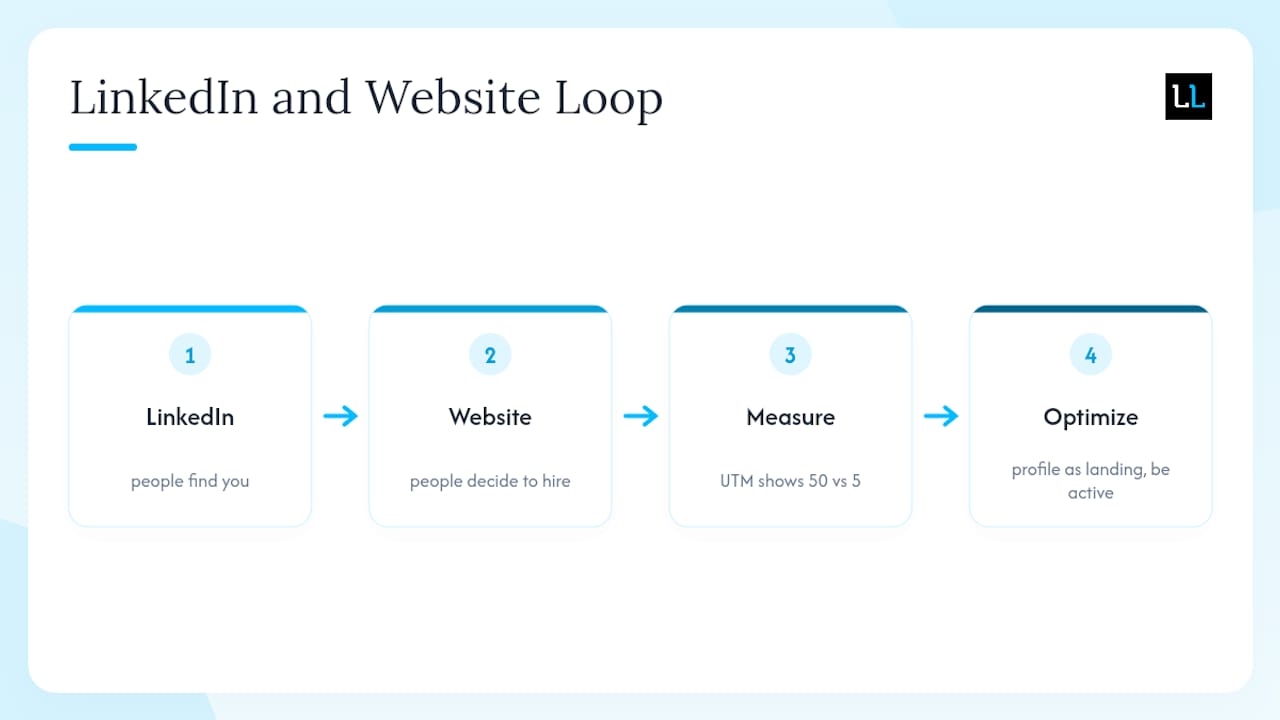
There’s a version of this debate that treats LinkedIn and a personal website as competitors, and it misses the point entirely. They’re not competing for the same job. LinkedIn is where people find you. Your website is where they decide to hire you.
What most professionals underestimate is how much the two platforms reinforce each other. A strong LinkedIn profile drives traffic to your website. A credible website makes your LinkedIn profile more convincing when someone clicks through to verify you’re real. The loop works in both directions.
The part that gets skipped most often is the measurement. Professionals spend hours building profiles and sites, then have no idea whether either is generating any actual interest. A UTM parameter on your LinkedIn profile link costs nothing and takes two minutes to set up. Suddenly you know whether your profile is sending 50 visitors a month to your site or five. That number changes how you prioritize your time.
For professionals running B2B outreach, the B2B LinkedIn engagement frameworks that work best treat the profile as a landing page, not a resume. Every element — headline, Featured section, About — should answer the question a prospect is silently asking: “Is this person worth talking to?” Your website answers the follow-up: “Can they actually do what they claim?”
The professionals who get the most out of LinkedIn aren’t the ones with the most connections. They’re the ones who treat the platform as an active channel, not a passive directory.
Done-for-you LinkedIn outreach from The Lead Lab
If your LinkedIn profile and website are solid but your calendar is still empty, the bottleneck isn’t your brand. It’s outreach volume and targeting precision.
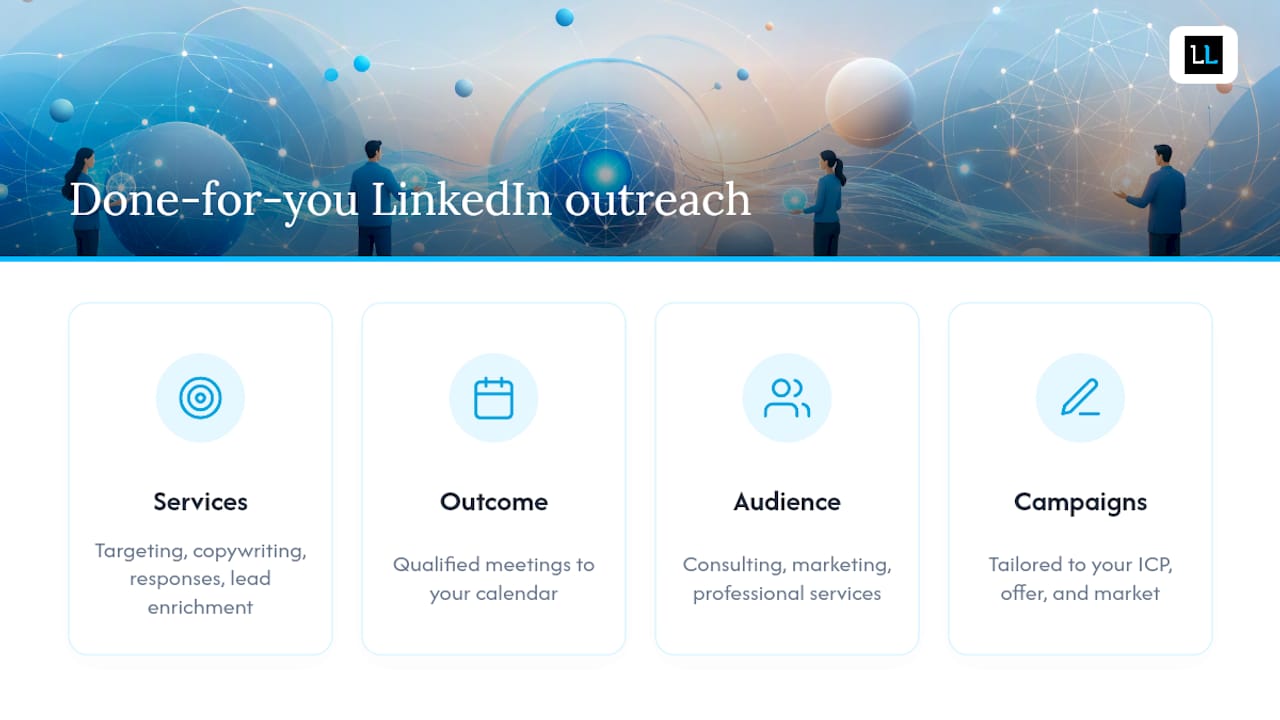
The Lead Lab runs done-for-you LinkedIn outreach campaigns for professional services firms: accurate prospect targeting, personalized message copywriting, response handling, lead enrichment with verified contact data, and qualified meetings delivered directly to your calendar. You don’t touch the platform. You show up for the conversations that matter.
It’s built for consulting firms, marketing agencies, and professional services businesses that need a consistent pipeline without hiring a full-time SDR. The outreach campaigns are tailored to your ICP, your offer, and your market — not templated blasts. If you want to see what that looks like in practice, the case studies on the portfolio page show real campaign outcomes.
Book a consultation with The Lead Lab to see whether done-for-you outreach fits your growth goals.
Useful sources and further reading
The sources below informed this guide and are worth bookmarking for deeper reference:
- What is LinkedIn and how can I use it? | LinkedIn Help
- Personal Website vs. LinkedIn: When You Need Both and What to Put on Each | CareerBldr
- LinkedIn Profile Tips: 17 Ways to Get Found in 2026
- How to Build a Striking LinkedIn Profile: 2026 Guide + Tips | Coursera
- How to Add a Website Link to a LinkedIn Profile and Track Results | Mobilo Card
- What is the best method to embed LinkedIn profile on website? – Marketing & Content Hub / Tips, Tricks & Best Practices – HubSpot Community
- LinkedIn Profile Optimization Guide 2026 – Get Found by Recruiters | TailorCV Blog
- Free LinkedIn Profile Viewer, View Profiles Anonymously (2026)